> ## Documentation Index
> Fetch the complete documentation index at: https://docs.coze.cn/llms.txt
> Use this file to discover all available pages before exploring further.
当你传入图片时,[视觉语言模型](https://www.volcengine.com/docs/82379/1362931)(VLM)可以理解图片里的视觉信息,并结合这些信息完成图片相关的任务,例如描述图片等。豆包模型家族中的 Doubao-vision-pro-32k 就是 VLM 的一种。基于RTC + 视觉大模型/语言大模型的强大理解能力,扣子支持和自己搭建的智能体进行低延迟高质量的视频实时通话,让智能体耳聪目明。
## Demo 演示 {#ffcd7642}
### **创建视觉模型智能体** {#e5920dc5}
### **视觉模型音视频对话** {#4feb9c7e}
## 体验豆包视觉模型 {#0ddf020b}
1. 前往火山方舟控制台,开通 Doubao-vision-pro-32k 大模型。
操作步骤可参考[接入火山方舟模型](/guides/ark_model)。
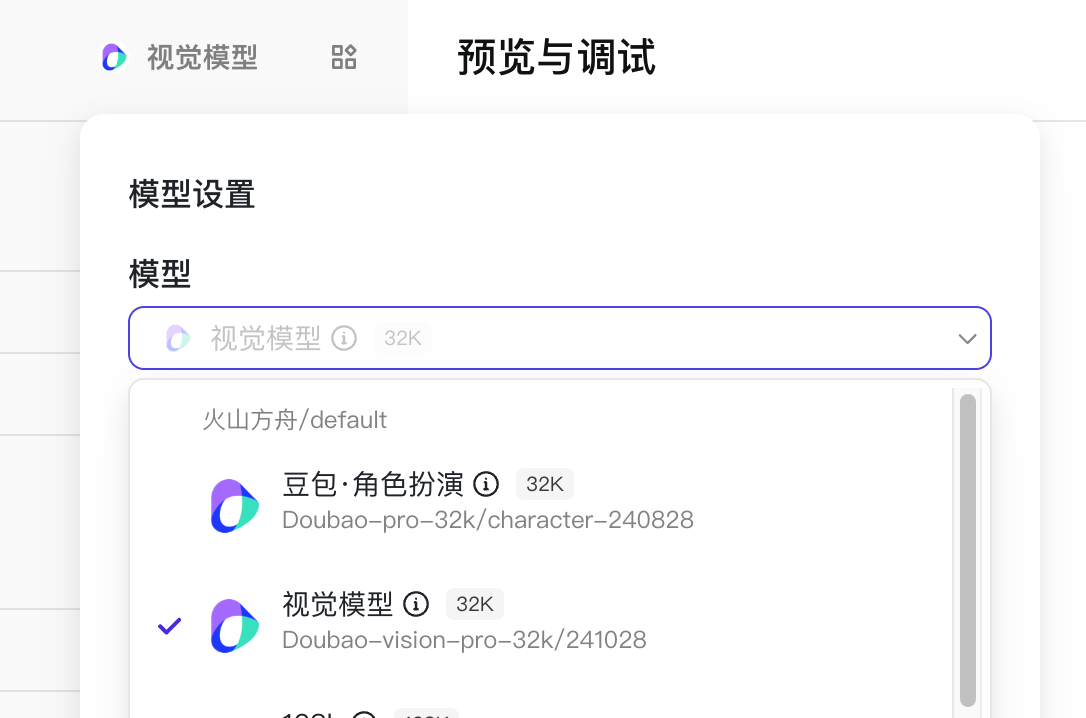
2. 创建智能体,并且在**模型设置**中选择豆包**视觉模型**。
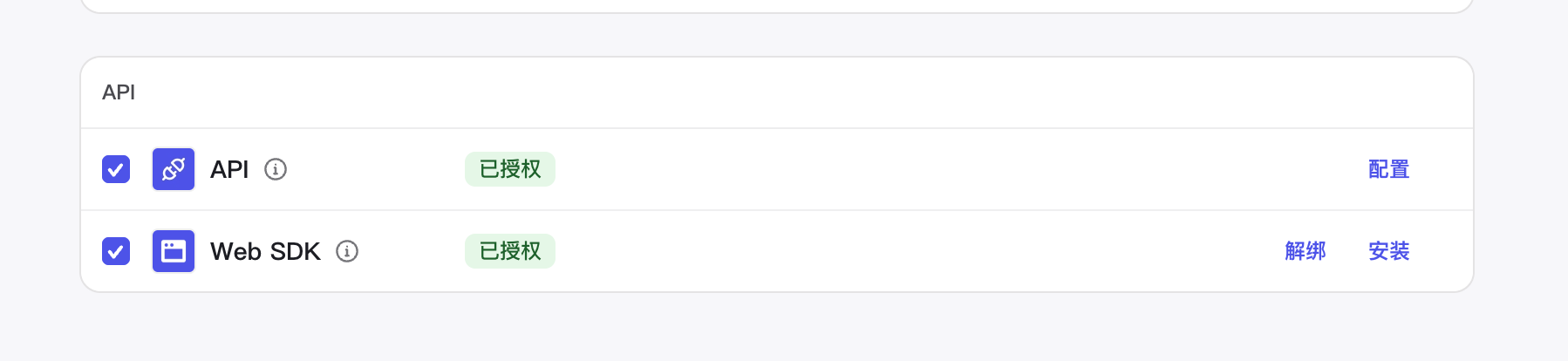
3. 将智能体发布为 API 服务。
4. 访问网址 https://www.coze.cn/open-platform/realtime/playground 即可体验。
## 实践案例 {#6883333b}
VLM 结合端插件获取屏幕内容: