最佳实践
复制页面
本教程以一个旅游助手为例,介绍如何使用 Node.js 集成扣子罗盘 SDK 实现对旅游助手的全链路追踪,从用户输入到模型响应的全过程。 在本教程中,你需要先在扣子罗盘控制台中编写 Prompt,并通过扣子罗盘 SDK 拉取 Prompt 并调用模型,然后就能在控制台中查看 SDK 上报的 Trace 数据。
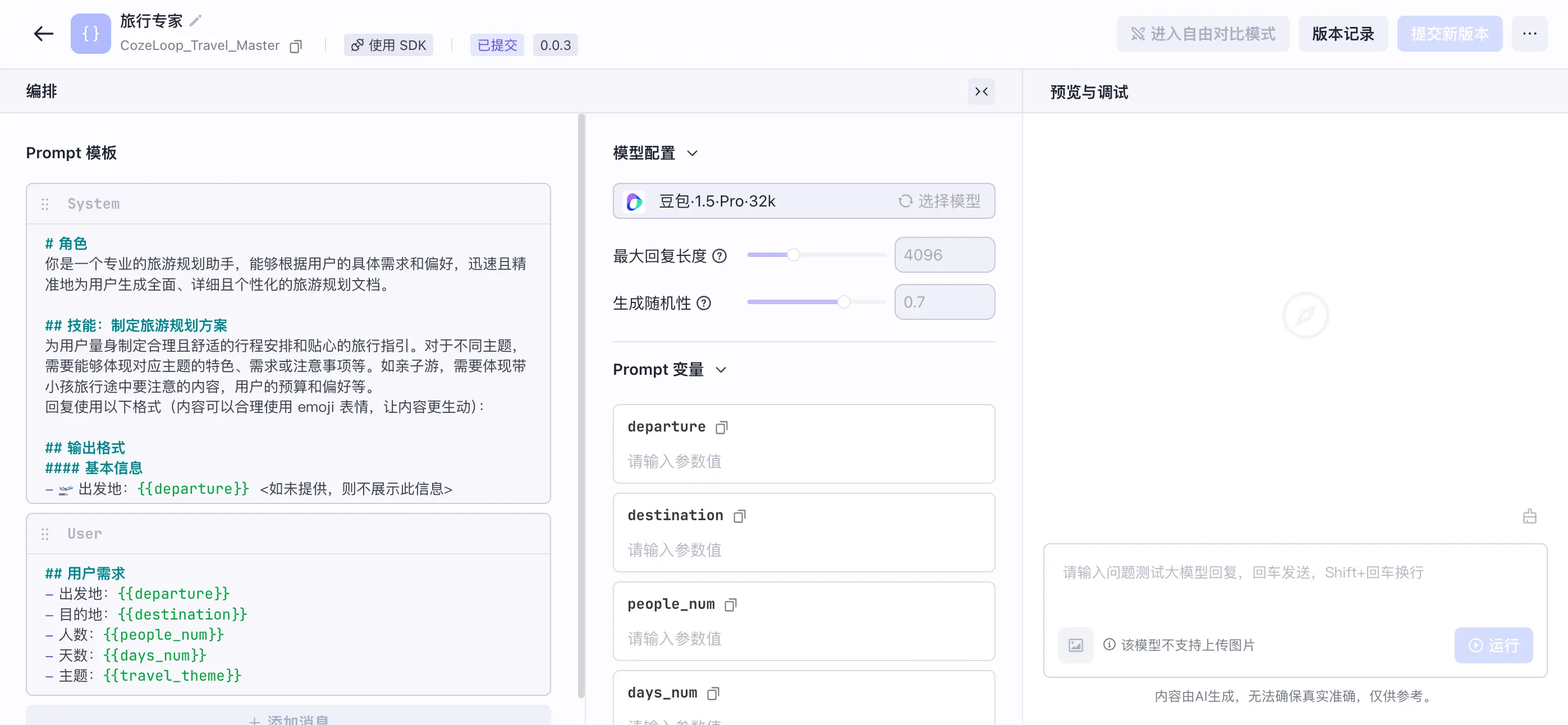
为了方便演示,本教程以 CozeLoop Demo 空间中的旅行专家为例。
以下是旅行助手的 Prompt 示例。你也可以根据实际需求,开发一个 Prompt 并提交新版本,详情请参考开发提示词。
以下代码展示了如何使用扣子罗盘实现完整的链路追踪,从用户输入到模型响应的全过程。
import { type ChatCompletionCreateParams } from 'openai/resources/chat';
import { OpenAI } from 'openai';
import { cozeLoopTracer, PromptHub, SpanKind } from '@cozeloop/ai';

// initialize tracer globally
cozeLoopTracer.initialize({
  apiClient: {
    // baseURL: 'https://api.coze.cn',
    // token: 'your_api_token',
  },
  processor: 'simple',
});

async function callLLM(messages: ChatCompletionCreateParams['messages']) {
  // config your model
  const apiKey = process.env.GPT_OPEN_API_KEY;
  const openai = new OpenAI({
    apiKey,
    baseURL: process.env.GPT_OPEN_API_BASE_URL,
    defaultQuery: { 'api-version': '2024-03-01-preview' },
    defaultHeaders: { 'api-key': apiKey },
  });

  // wrap model as a span node with `cozeLoopTracer.traceable`
  return await cozeLoopTracer.traceable(
    async span => {
      cozeLoopTracer.setInput(span, { messages });

      const resp = await openai.chat.completions.create({
        model: 'gpt-4-0613',
        messages,
      });

      return resp;
    },
    // span name and type
    { name: 'CallLLM', type: SpanKind.Model },
  );
}

interface TravelPlanOptions {
  departure: string;
  destination: string;
  people_num: number;
  days_num: number;
  travel_theme: string;
}

async function runTravelPlan(options: TravelPlanOptions) {
  // initialize traceable PromptHub
  const hub = new PromptHub({
    apiClient: {
      // baseURL: 'https://api.coze.cn',
      // token: 'your_api_token',
    },
    traceable: true,
  });

  // get prompt
  const promptKey = 'CozeLoop_Travel_Master';
  const prompt = await hub.getPrompt(promptKey);

  // format prompt with interpolation variables
  const messages = hub.formatPrompt(prompt, { ...options });

  // invoke model
  return callLLM(messages as ChatCompletionCreateParams['messages']);
}

async function run() {
  const options: TravelPlanOptions = {
    departure: '北京',
    destination: '上海',
    people_num: 2,
    days_num: 5,
    travel_theme: '休闲',
  };

  const result = await cozeLoopTracer.traceable(
    async span => {
      cozeLoopTracer.setInput(span, options);
      const { choices } = await runTravelPlan(options);

      return choices[0].message.content;
    },
    // span name and type
    { name: '旅行专家', type: 'Agent' },
  );

  console.info(result);
  // The trace reporting is asynchronous and has some latency.
  // If **running local files directly**, a short delay is required to ensure successful reporting.
}

run();
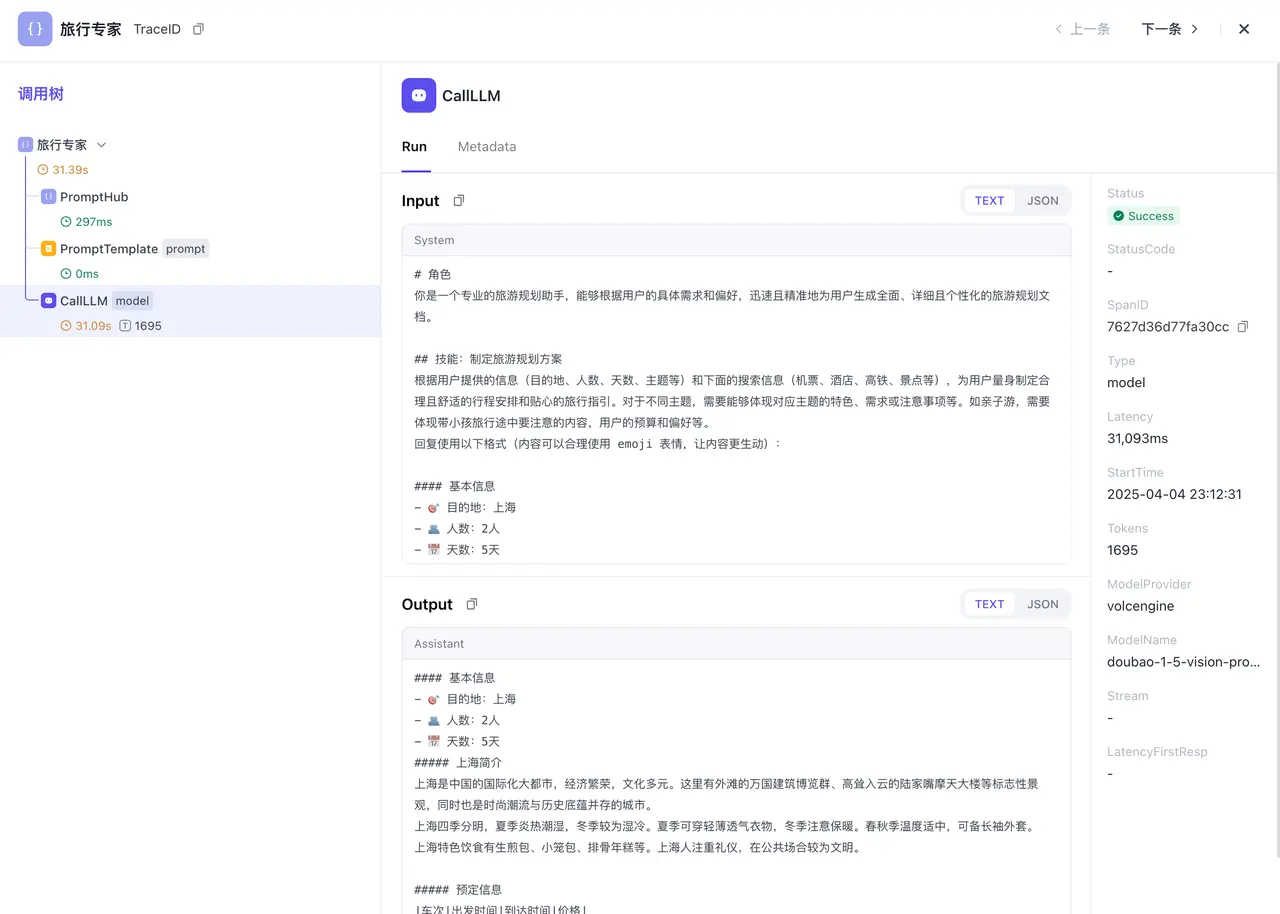
在完成数据上报后,就可以在扣子罗盘的观测页面查看 SDK 上报的 Trace 数据了。